
Mastering Audio Clarity: How the Canvas Line Isolator Eliminates Ground Loop Noise in Pro Sound Systems
In the professional audio world, clarity is non‑negotiable. One of the greatest obstacles to achieving crystal‑clear sound is the presence of ground loop noise—those persistent hums or buzzes that plague audio setups. Enter the Canvas Line Isolator, a compact yet powerful solution engineered specifically to eradicate noise caused by mismatched grounding across audio devices.
By leveraging transformer-based isolation, the Canvas Line Isolator breaks direct electrical connection between input and output, while preserving the integrity of the audio signal. This method effectively blocks interference from ground loops without compromising sonic quality.
What Is the Canvas Line Isolator?
The Canvas Line Isolator is a passive audio accessory that provides complete isolation of the ground while passing the audio signal faithfully from source to destination. It is especially useful in live sound systems, recording studios, PA setups, and any scenario involving multiple audio components that share different ground potentials.
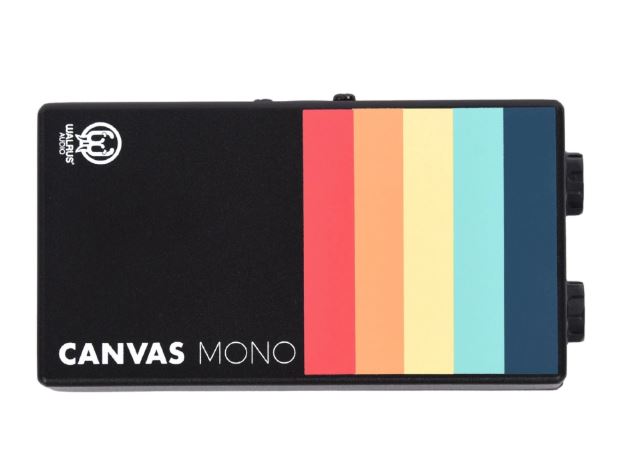
When audio travels through devices with separate grounding schemes—such as mixers, DI boxes, interfaces, amplifiers, or sound cards—it often picks up low-frequency hum at 50 or 60 Hz. The isolator eliminates this by using an internal transformer that decouples the input and output grounds entirely.
Key Features and Benefits of the Canvas Line Isolator
– Complete ground isolation: Eliminates ground-loop hum at 50/60 Hz, guaranteeing silent background.
– 100% passive design: No need for power—just plug and play.
– Professional connector options: Available in XLR and TRS configurations to fit a wide range of devices.
– Rugged and portable build: Designed for both studio environments and road gigs.
– Ultra‑low distortion: Maintains full signal fidelity, preserving detail and dynamics.
– Low noise floor: Silicon-welded shielding and precision windings minimize any introduction of noise.
When Should You Use a Line Isolator?
Employing a line isolator like the Canvas unit is recommended in situations such as:
– Complex live audio rigs with multiple power sources and devices.
– Recording studios connecting computers, mixers, audio interfaces, and instruments.
– Installations in houses of worship, auditoriums, or venues with shared but inconsistent electrical grounding.
– Mobile rigs and outdoor setups subject to interference from power distribution.
How It Works
Inside the Canvas Line Isolator lies an isolation transformer. Audio enters the primary coil, induces a magnetic field, and is faithfully reproduced in the secondary coil—yet without a direct ground path. This method ensures:
1. Complete separation of input/output grounds
2. No DC connection or shared reference path
3. Transmission of audio frequencies only
4. Effective rejection of 50/60 Hz hum
Because it doesn’t rely on electronics to filter noise, there’s no introduction of distortion or alteration in phase response.
Real‑World Applications
– Live sound engineers use it when connecting mixers to amplifiers or stage boxes to PA systems, especially when venues supply power separately to different gear racks.
– Studio technicians deploy them between computers or audio interfaces and preamp racks to prevent noise from differential grounding.
– AV integrators often install them in fixed installations—like houses of worship and conference halls—where multiple audio zones and power supplies interact.
– Mobile production units rely on them when touring between venues with variable wiring quality.
Advantages Over Alternatives
Other solutions like ground‑lift adapters, isolating DI boxes, or using differential balanced cables can mitigate hum—but differ in trade‑offs:
– Ground‑lift adapters simply disconnect pin 1 of XLR connectors—not a foolproof fix and sometimes illegal in certain jurisdictions.
– DI boxes often contain transformers but are primarily designed for unbalanced sources or instrument-level signals—not necessarily ideal for line‑level audio feeding mixers or amplifiers.
– Differential balanced cabling helps—but doesn’t isolate mismatched grounds; it reduces hum, yet cannot eliminate it entirely if grounds still differ.
In comparison, the Canvas Line Isolator addresses the root cause by providing complete galvanic isolation, without colorizing or attenuating the audio.
Installation and Best Practices
1. Insert the Canvas Line Isolator between two devices where hum is present (e.g. mixer output to amplifier input).
2. Use matching connector types: TRS-to-TRS or XLR-to-XLR, ensuring balanced signal path.
3. Keep cable lengths as short as feasible; maintain good cable management to reduce RF pickup.
4. Place the isolator close to the noise source (e.g. near the mixer or interface).
5. If using multiple isolators downstream, ensure the signal chain remains balanced end-to-end.
Buying Guide: Choosing the Right Canvas Line Isolator Model
Canvas offers both XLR and TRS versions to suit different professional setups:
– Canvas XLR Line Isolator – ideal for microphone mixers and professional gear with male/female XLR connections.
– Canvas TRS Line Isolator – perfect for gear with ¼‑inch balanced outputs, common in stage setups and audio interfaces.
For dual‑channel rigs, one unit per channel is standard: stereo mixer outputs or two mono feeds into amplifiers.
Testimonials from Audio Professionals
– “Once we installed the Canvas isolator, the hum vanished entirely—even though our mixer and amp were on separate circuits.”
– “No power supply needed, just plug‑in and go—that’s a lifesaver on gigs.”
You Might Also Like: 7 Longest Songs in the World You Should Hear
Summary
Ground loop hum is a pervasive issue in multi‑device audio systems, but the Canvas Line Isolator offers a no-power, high‑fidelity solution. With transformer isolation, rugged portability, and professional connectors, it’s a smart investment for studios, live sound engineers, and AV setups alike. Whether you’re in the studio, on stage, or installing sound in a venue, this little device ensures your audio remains crisp and noise‑free.


