
How to Choose Equipment to Record Music
Equipment to Record Music – This article is a continuation of the previous article which discusses what equipment is needed to build a home audio recording. This time we will discuss about one of the devices listed in the previous article, namely the Audio Interface.
Suppose we already have a PC/laptop that meets specifications for music production, and the device we need next is an audio interface, often referred to as a sound card by some people. To produce music, this tool is very crucial. because without an audio interface, we cannot record optimally. Even though we can actually record with the default sound card from our PC/laptop, if we want to pursue sound towards ‘studio quality, an audio interface is a must.
After we understand the functions and advantages of using an audio interface, surely the next question is what kind of audio interface we should choose. Since every brand of the audio interface has many features, it can be a little difficult to know which ones are good and which are not. But at least the following will discuss some points that we can take into consideration in choosing an audio interface.
1. Interface connector
As far as I know, there are four kinds of connectors that are usually used by audio interfaces to connect these objects to our PC / laptop.
- USB – is the most common connector found in some economical audio interfaces. This type of connector provides a slower transfer rate than other connectors.
- Firewire – is usually found in audio interfaces at a price that is more expensive than using USB. This connector works faster than USB.
- Thunderbolt – although not all use this type of connector, some audio interfaces already use this type of connector and thunderbolt works faster than firewire and USB.
- PCIe – this type of connector has long been the industry standard as it provides extremely fast data transfers.

Although USB is a connector that is said to be slow, but still it is enough for us to produce a piece of music.
And whatever connector we choose, make sure our PC / laptop also provides a slot for the connector.
2. Number of Input/Output

The number of input/output (I/O) of an audio interface varies from 1-2 (I/O) to more than 20 I/O.
The best number of I/Os is the one that suits our needs, if we record all instruments ourselves (except drums), 2-4 pieces of I/O will be more than enough. But if we want to do a live recording for a band of 5 people, we need at least 8 I/O pieces or more.
3. Input Channel Type

What is often overlooked by people who first buy an audio interface is the type of input contained in the object. A full-featured audio interface usually provides several types of inputs that can be used. Generally, the input types are:
- Microphone input (using XLR cable)
- Instrument / Line input (using TS/TRS cable)
- MIDI (using a midi cable)
- Optical Input
4. Shape Equipment to Record Music
Generally, Audio Interface is divided into two choices of forms:
- Desktop – where the audio interface takes on a smaller and more portable form.
- Rackmounted – this audio interface is larger and less mobile.
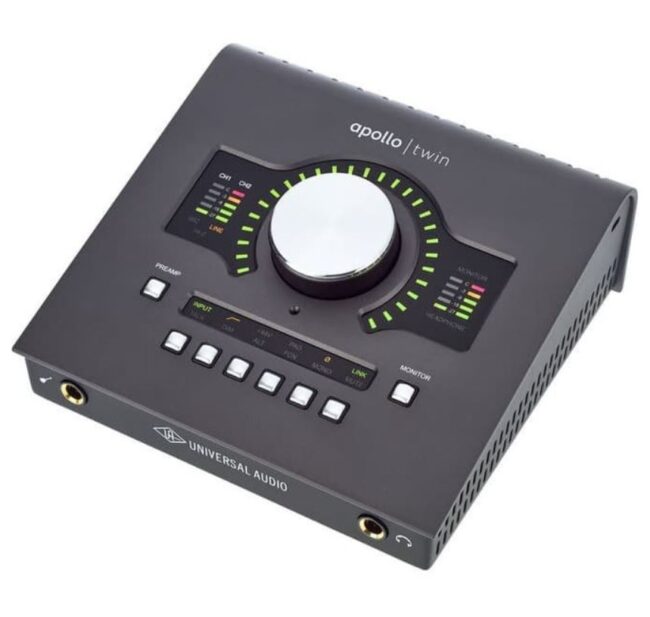
If you ask what the best audio interface is, several factors will appear as above for consideration. And the most obvious factor is the budget that we have because generally, it is always directly proportional to the features that we will get. However, currently, there are many audio interfaces with quite powerful features at competitive prices, some of which are:
- Focusrite Scarlet 2i2
- Universal Audio Apollo Twin
- PreSonus AudioBox
- Apogee Duet
- Mackie Onyx Blackjack
- M-Audio M-Track Plus
The list of audio interfaces (Equipment to Record Music) above is not made in order, so before choosing which audio interface you will choose, make sure you choose the one you need the most. Hope this article helps you.


