
Two Notes Torpedo C.A.B. Review
Two Notes Torpedo – Talking about Direct Vs Mic, maybe it is a topic that will never end to be discussed because there are always pros and cons to the topic, for me personally, I prefer to point the mic into the amp cabinet, but if the situation requires me to using D.I, why not? The show must go on anyway, hehe.
But it’s not Direct vs Mic that I will discuss here, but about an object that is very useful if we are in a situation where we can’t hold the mic. Not long ago, many guitarists switched from the mic to direct because of an object called the C.A.B. Torpedo. because of that phenomenon, We want to discuss a little about this thing.
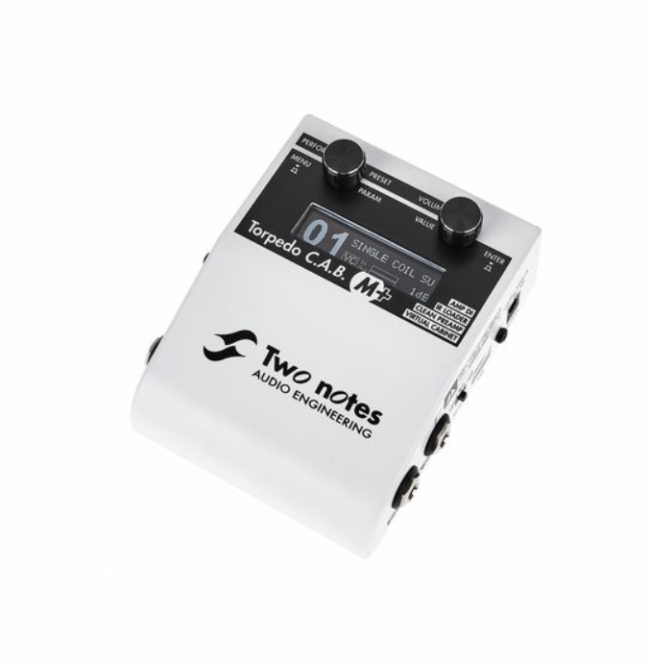
Overview of Two Notes Torpedo C.A.B.
This product is a product of Two Note Audio Engineering which has several functions such as a power amp simulator, cabinet simulator, and also microphone simulation. Presenting 32 cabinets, each cabinet presents eight variations of microphones to be combined. In addition, users also add other sounds that can be downloaded from the official Two Notes website.
What’s Interesting About Two Notes Torpedo
Judging from its useful function, this thing comes in pedal form, which makes it possible to insert it into the guitarist’s pedalboard using a 12V adapter. In addition, this object also comes with user-friendly parameters or is easy to use; starting from editing, to saving presets, etc.
Besides being useful on stage, this object can also be used for recording purposes because it is a digital-based object that is equipped with a 24-bit AD/DA converter with a sample rate of 96Khz. If we want to do further editing, Two Notes Audio also provides software for editing on a PC.
Two Notes Torpedo C.A.B. Specs
- Type: Preamp, Cabinet Modeling, IR Loading
- Channels: 1
- Form Factor: Pedal
- EQ: 5-band EQ
- Presets: 32 x Cabinets, 8 x Microphones, 12 x Rooms, 8 x Power Amps, Impulse Response loading
- Inputs: 1 x 1/4″ (Hi-Z/line/amp), 1 x 1/8″ (aux in)
- Outputs: 1 x 1/4″ (speaker), 1 x 1/4″ (line out), 1 x XLR (DI out)
- Headphones: 1 x 1/8″
- USB: 1 x Micro-B (Mac/PC Torpedo Remote connectivity)
- Software: Torpedo Remote wireless app (iOS/Android)
- Power Source: 12V DC power supply (included)
- Height: 2.48″
- Width: 3.77″
- Depth: 4.76″
- Weight: 0.99 lbs.
Sound
The complaint that often arises from musicians is that it often feels like “something” is missing when they use D.I or the simulator. It’s true that “something” might be a bit difficult to describe, but guitarists will understand the term, hehe.
In terms of sound, this thing is able to produce a very natural sound, as if we were using a mic. As I mentioned earlier, the “something” that guitarists are looking for is not lost when using this object.
You Might Also Like:
Cons
Although the sound quality and features of this item are arguably very good, unfortunately, this item does not come at a pocket-friendly price. This object is sold in the price range of Rp. 6-9 million.
Apart from the price, this thing has no digital output. Even though there is a USB connection, the USB connection on this item only works for firmware updates, software control, and setting presets.
In addition, this thing also does not have a speaker load box. So if we still want to use the amp head, we have to take the signal from the amp’s output line, then send it to this object.
Conclusion
In terms of sound, features, and mobility, this thing is indeed successful in answering the needs of guitarists. This thing also helps players for recording purposes, because for friends who are worried about noise level problems or need to work with limited volume, this thing will answer the problem.
Back to the topic of Direct Vs. Mic, Two Notes Torpedo might be a solution to this problem. Although the price for some people is still a problem, the most important thing is that we keep working and continue to work, whether with this object or not.


